
Split restaurant bills effortlessly
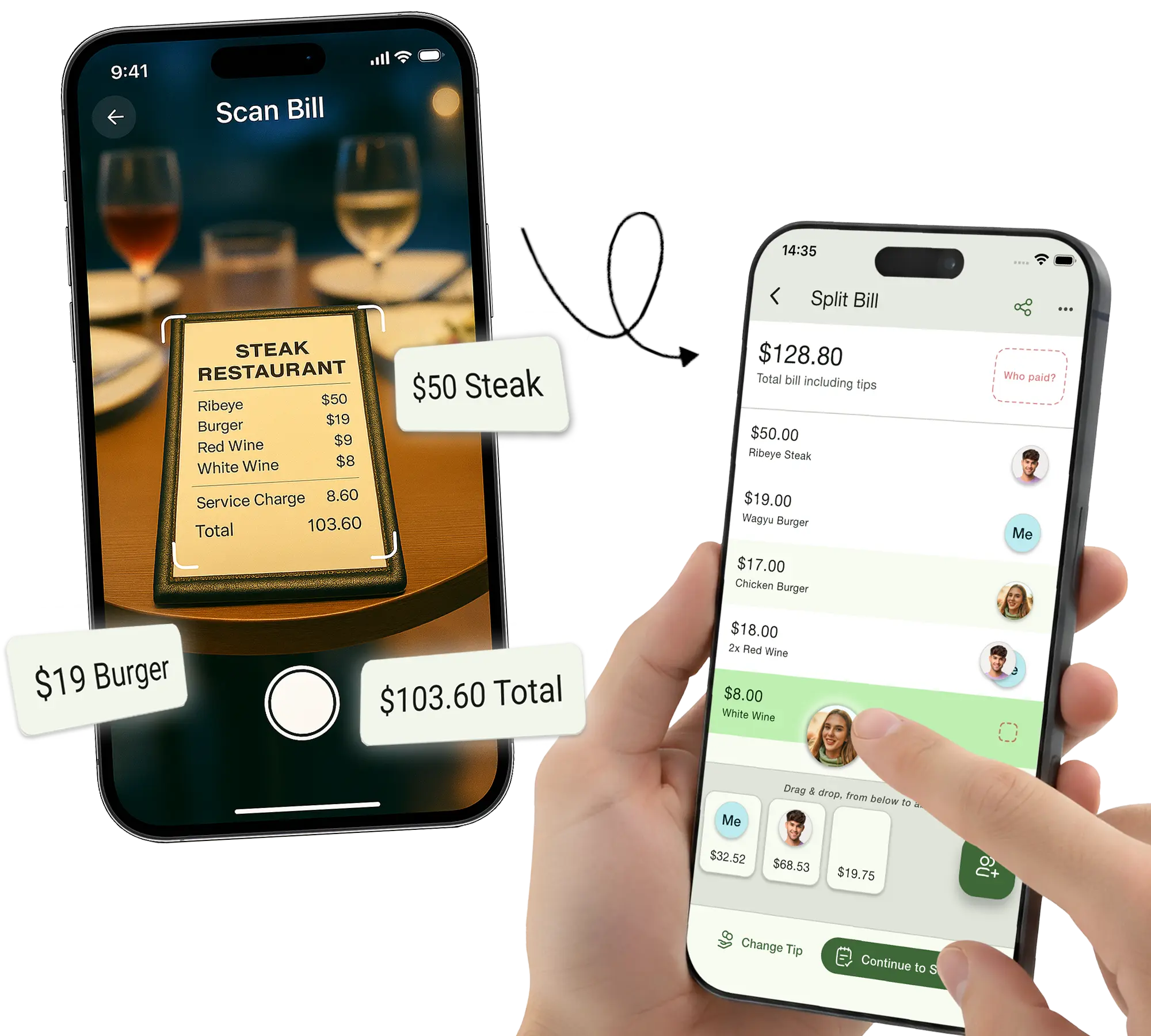
Snap a photo of your receipt—our AI instantly reads every item. Drag and drop to assign, and see who owes what in seconds.


How it works
Seven simple steps. Zero awkwardness.
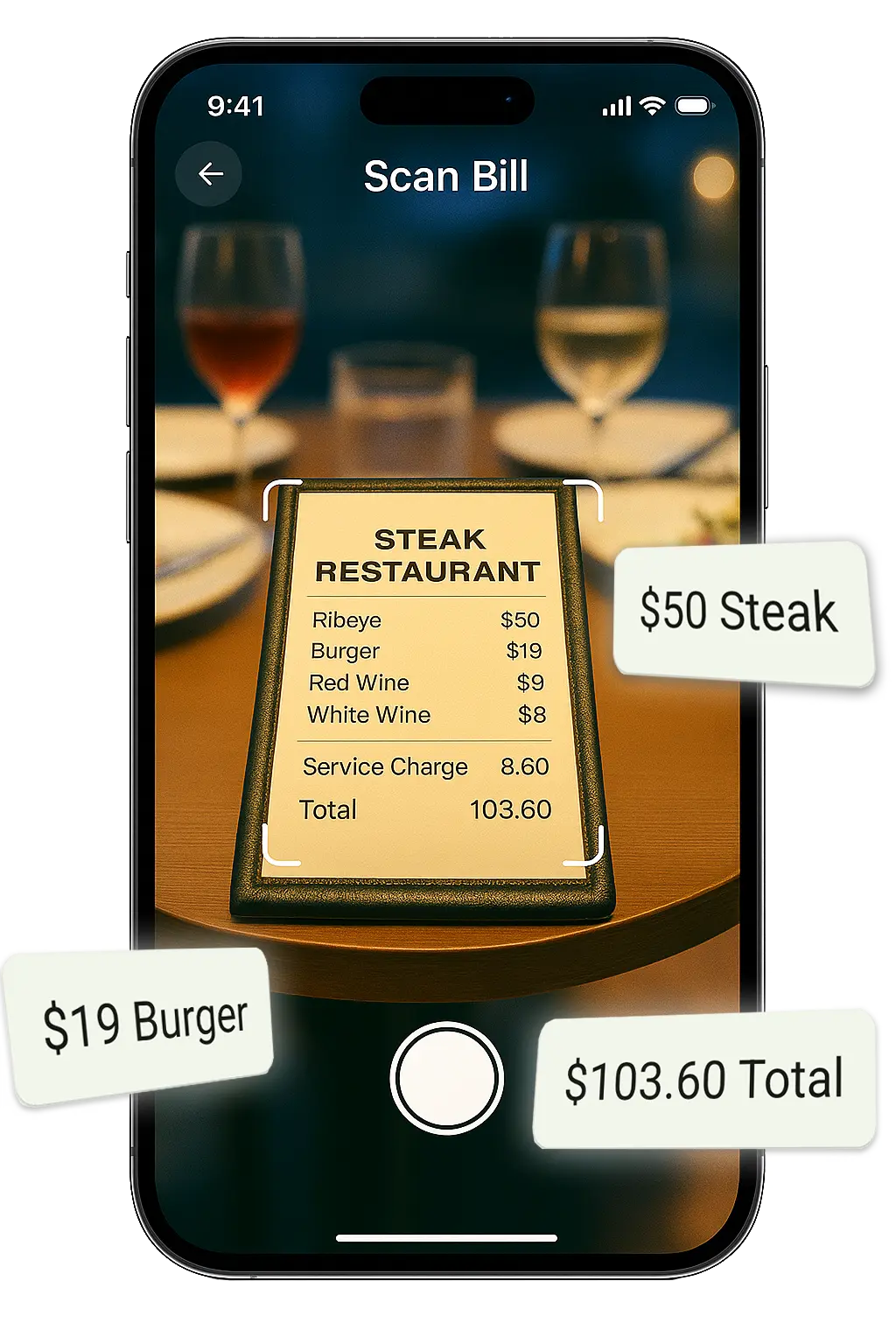
Snap a picture
Just point your camera at the bill. Our AI reads everything — items, prices, tax, and tip.
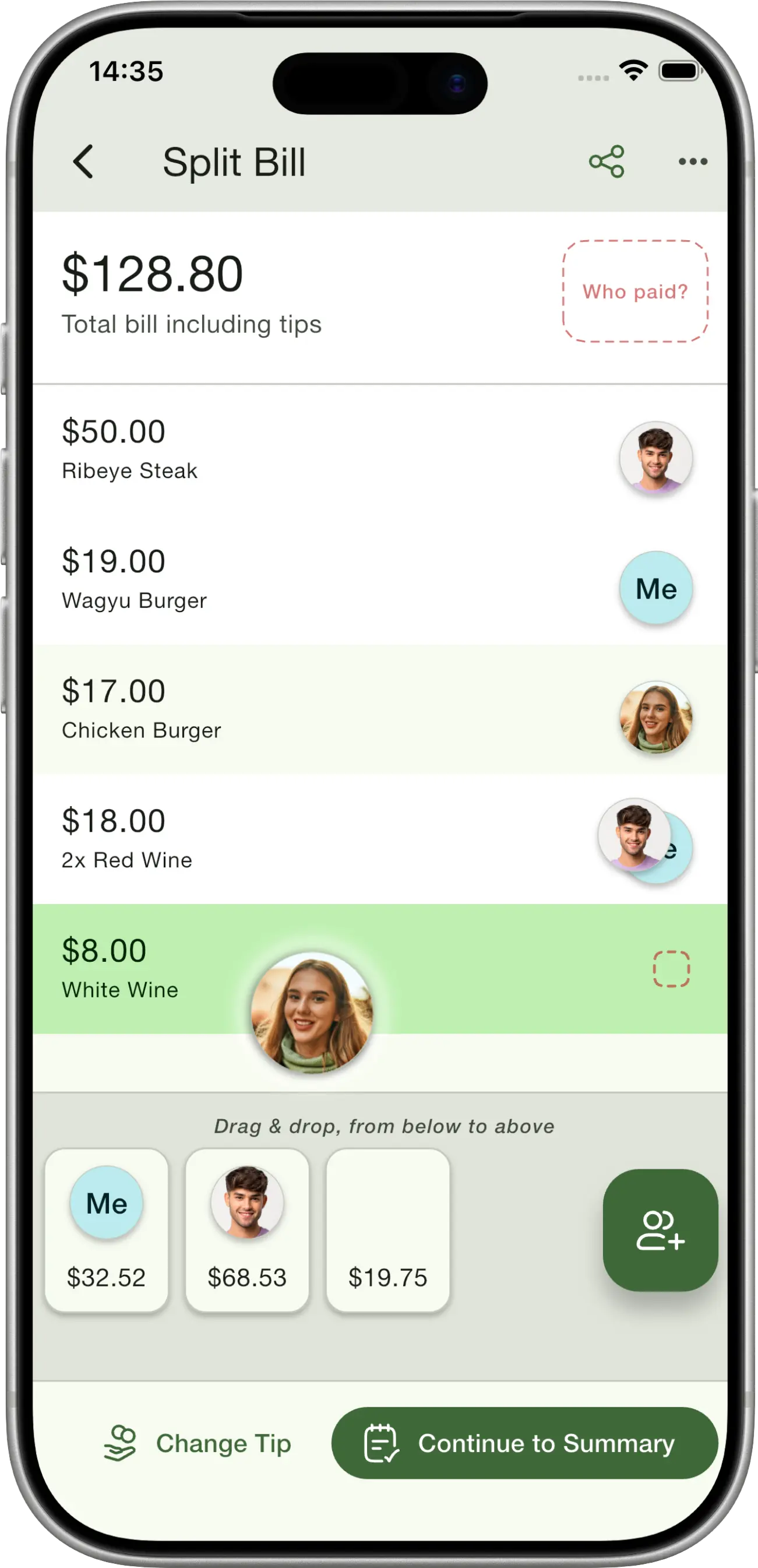
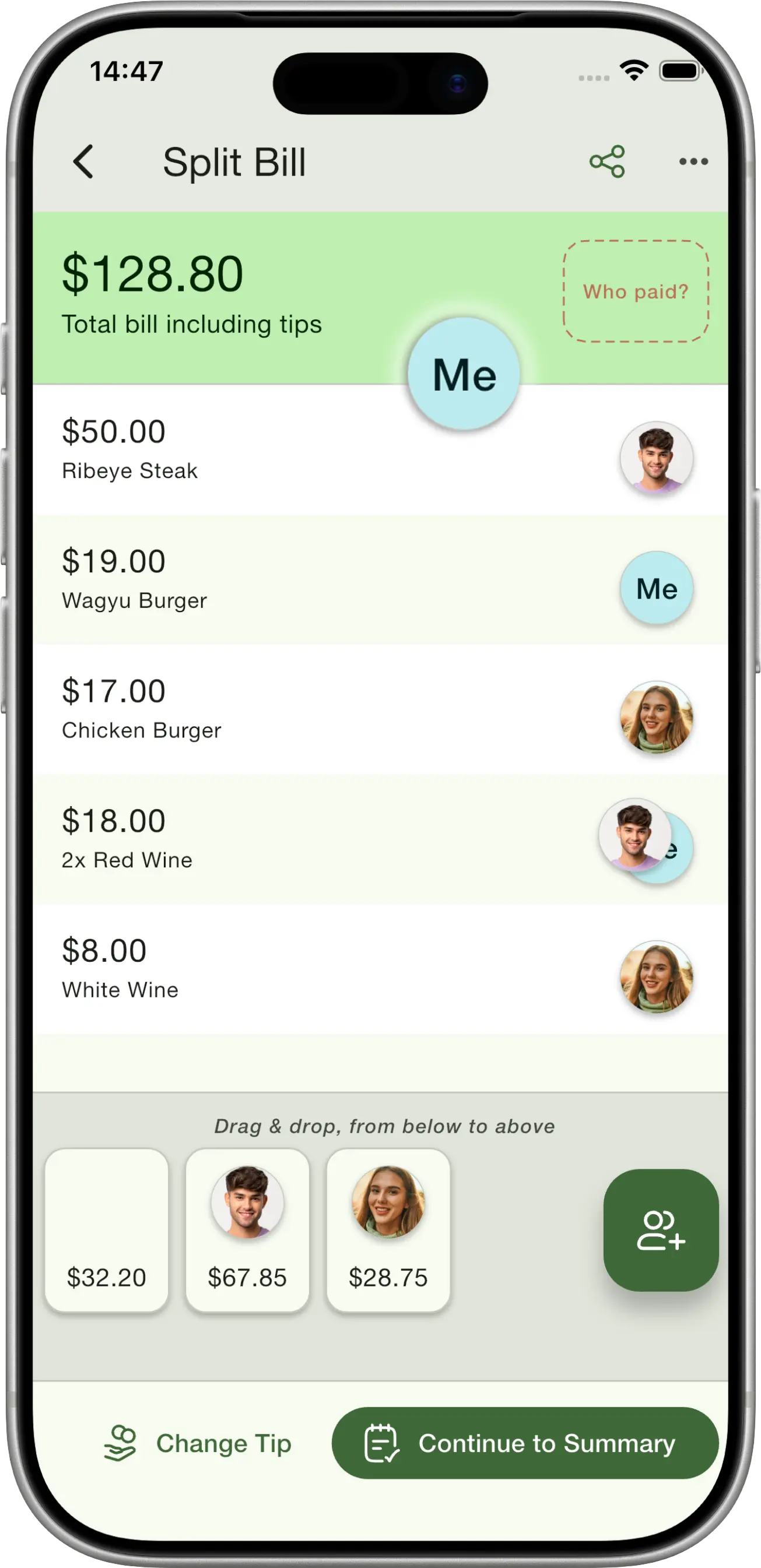
Drag and drop
Assign each item by dragging it to a friend. Share items between multiple people with a tap.
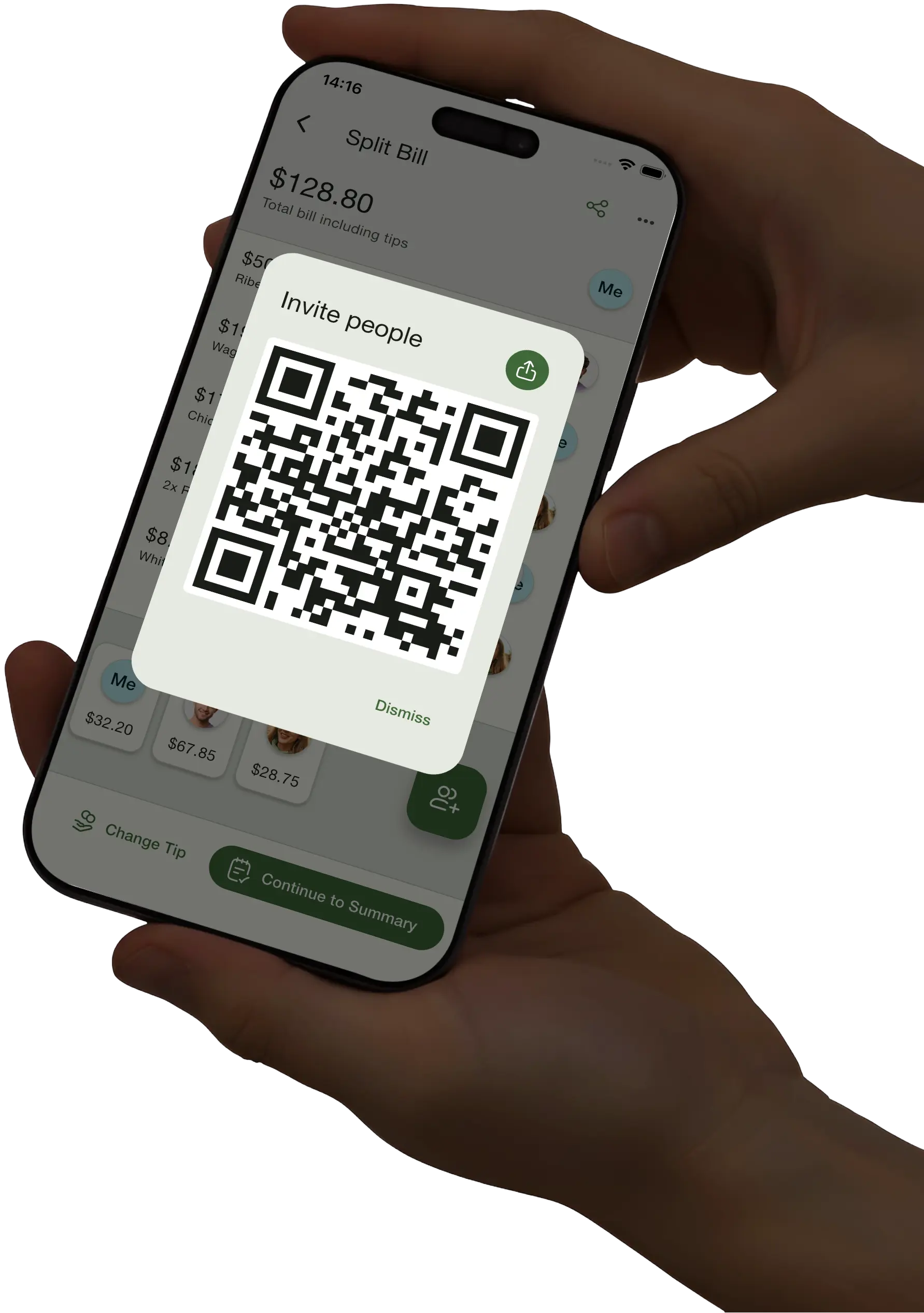
Invite everyone at the table
Share a QR code or link so friends can join your session and claim their own items in real-time.
Get individual bills
See a clear breakdown of what each person's share of the bill is, including their fair share of tax and tips.
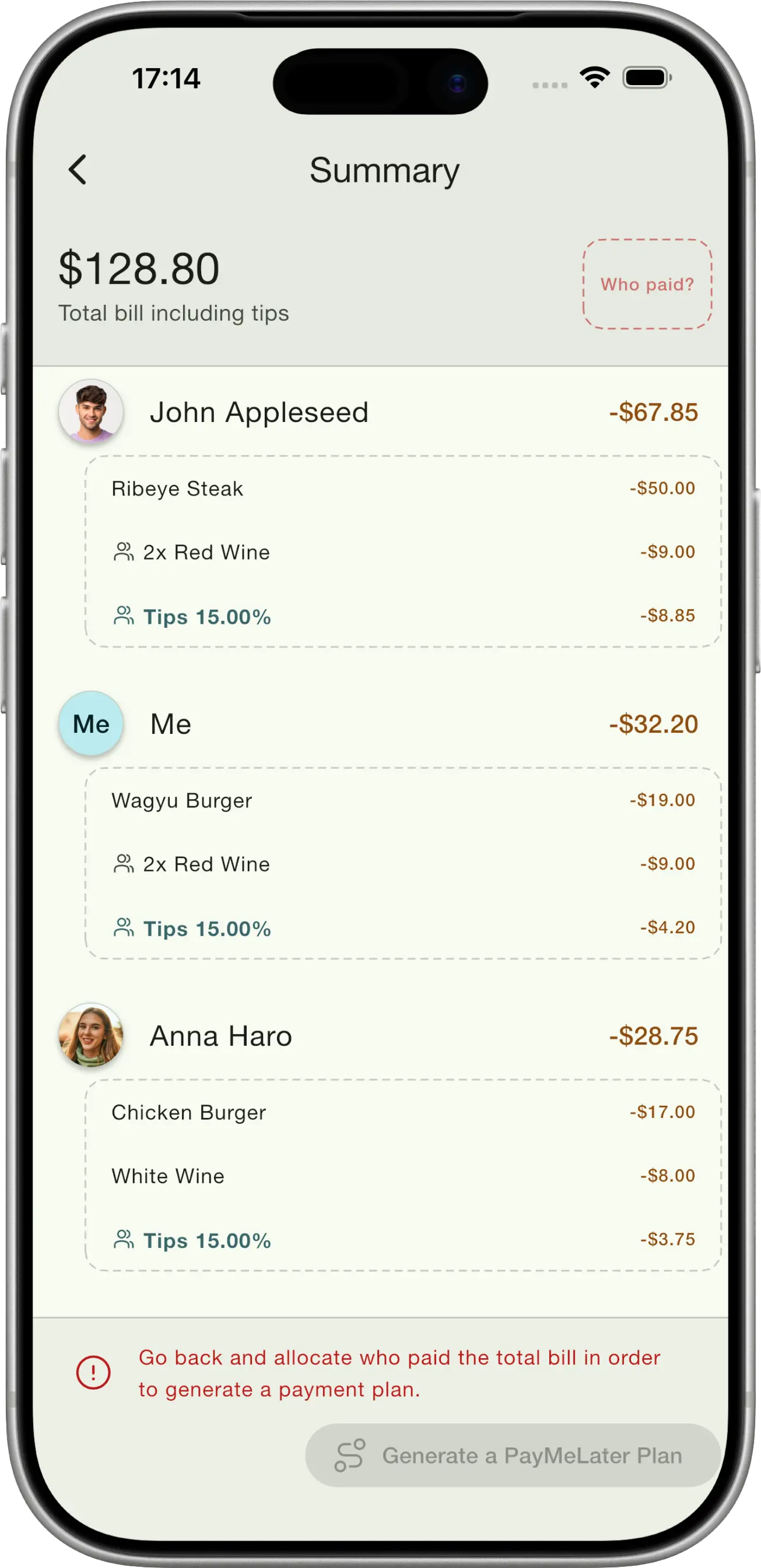
Tips are easy (and fair)!
Tips are automatically split fairly based on how much each person ordered.
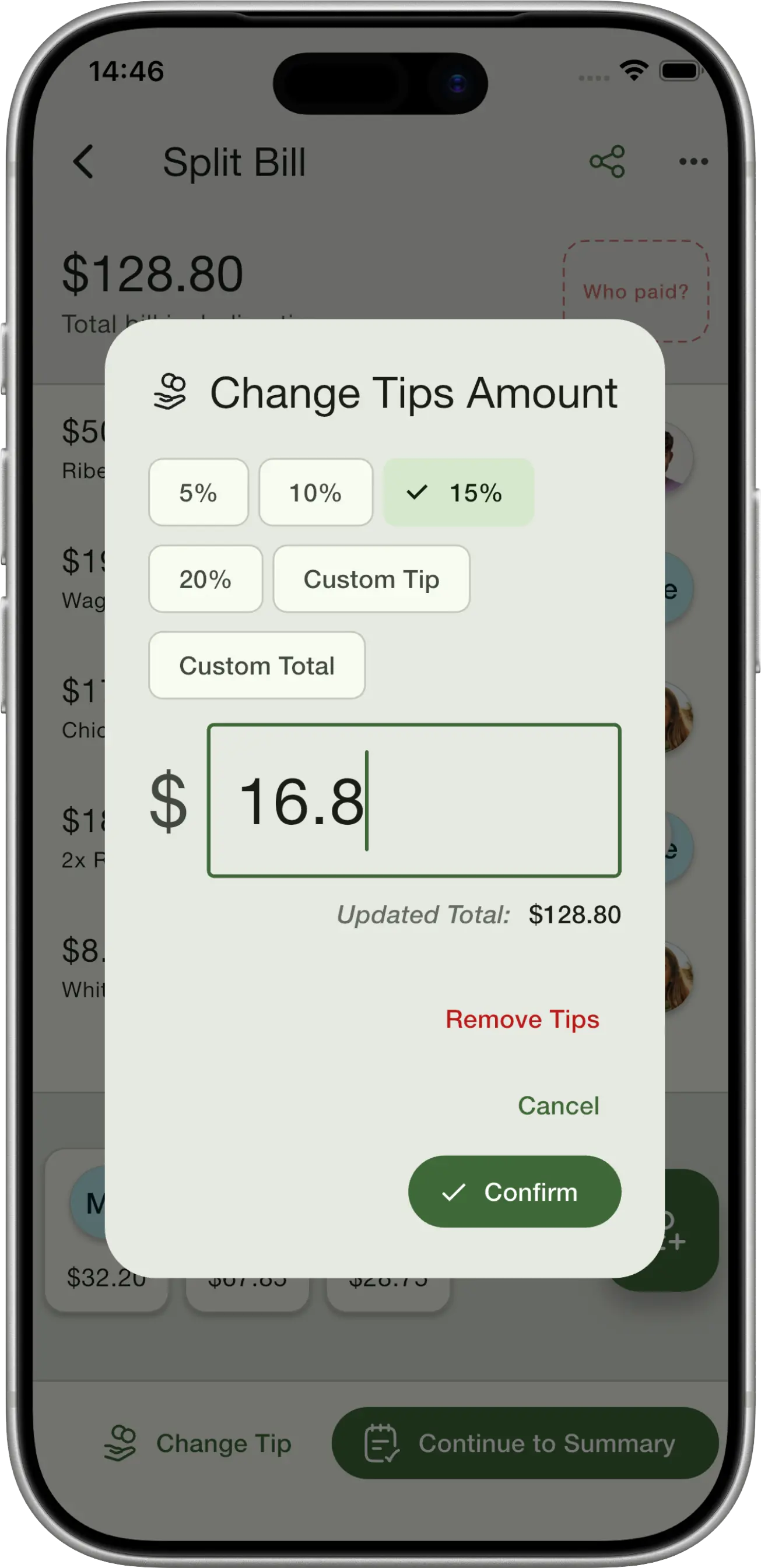
Mark who paid the bill
Supports more than one person paying the bill, and you can even pay tips separately.
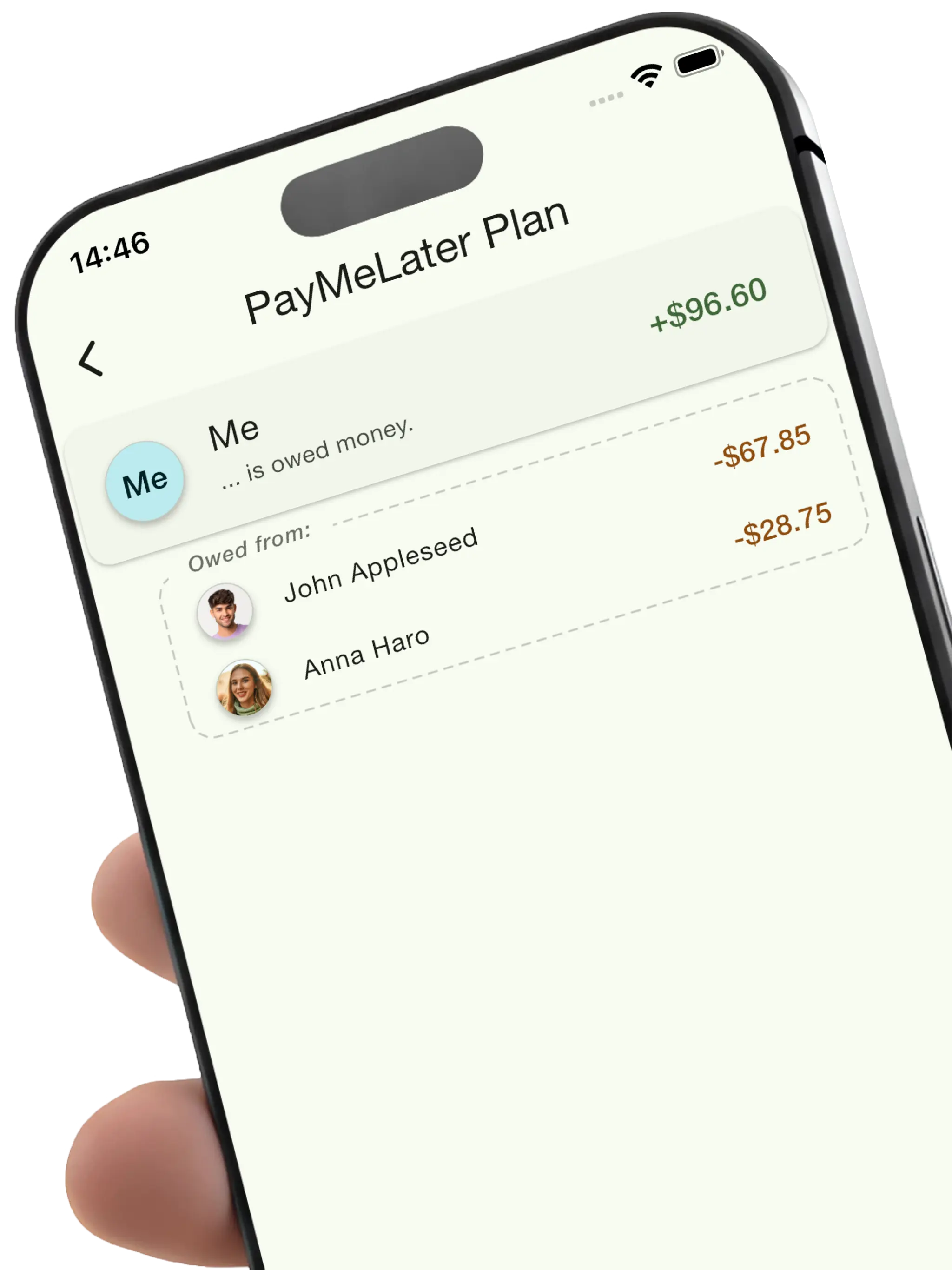
See how much everyone owes the bill payer
Get an IOU payment plan showing exactly who owes the bill payer and how much.
Split bills together
No more awkward money conversations. Share a QR code and let everyone claim their own items in real-time. Works seamlessly across iOS and Android, so everyone at the table can join in.
Instant QR Sharing
One tap generates a QR code anyone can scan to join
Real-time Sync
Everyone sees updates instantly as items get claimed